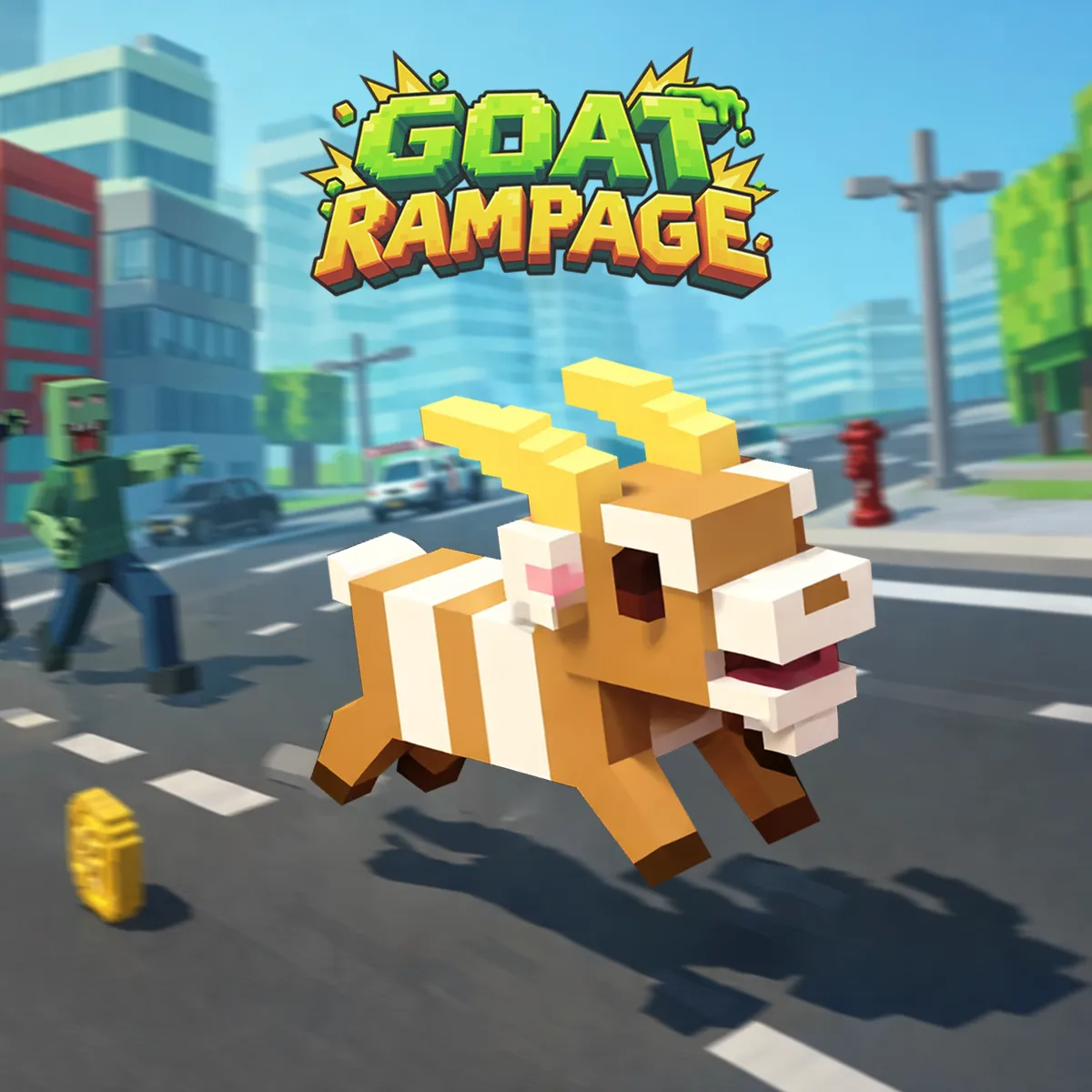
Goat Rampage is an arcade survival game built around constant movement and destruction. You guide a runaway goat through an isometric voxel city filled with roads, traffic, tall buildings, enemies, explosive objects, and coins. The distance counter measures each attempt in meters. Your goal is to travel as far as possible before a dangerous collision ends the run.
STEER, SMASH, AND SURVIVE
The goat moves automatically once the run begins. Use the left and right controls to steer across streets, grassy areas, and gaps between buildings. Gentle corrections work better than sharp turns because the character continues advancing while you change direction.
The isometric camera adds an extra challenge. Large buildings can briefly hide the goat or nearby threats, so look toward open ground and plan your route early. Staying in clear areas gives you more time to avoid traffic, reach coins, and prepare an attack.
A collision with a dangerous target can cause an explosion and end the run immediately. Learn which objects are safe to break and avoid rushing toward unfamiliar hazards without a clear escape route.
Activate Turbo Attacks
Hold both movement keys to activate Turbo. The burst helps the goat attack objects and push through dangerous sections, but it also reduces your ability to redirect quickly.
Line up with the target before using Turbo. Triggering it on a clear path is safer than activating it during a turn or near several obstacles. This makes Turbo a tactical move rather than a button to hold throughout the run.
HAZARDS, COINS, AND CHARACTERS
The city contains moving traffic, robot-like enemies, explosive vehicles, TNT crates, ramps, debris, and other unusual threats. Their placement changes the safest route and forces you to balance destruction with survival.
Gold coins appear throughout the map and increase the counter in the upper-right corner. Collect them when they lie along a safe route; chasing an awkward pickup can expose the goat to a collision.
The character menu features a varied collection of animals, monsters, and vehicles. Several options can be claimed, while the game-over screen provides additional opportunities to unlock characters through continued play or reward actions.
Controls
- A or Left Arrow: Steer left
- D or Right Arrow: Steer right
- Hold both movement keys: Activate Turbo
- Mouse: Select menu options, continue through prompts, and restart
MORE GAMES