ABOUT UNBLOCK IT 3D
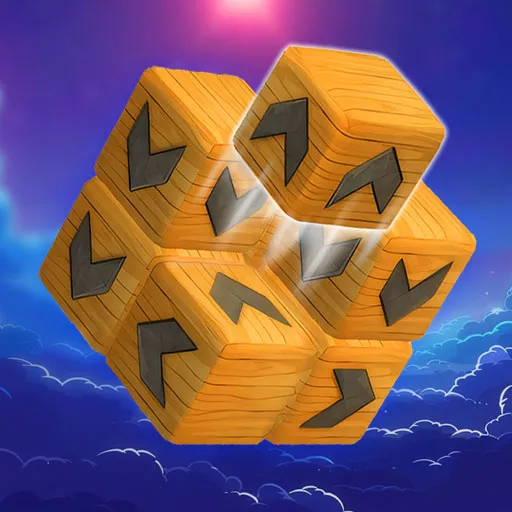
Unblock It 3D is a spatial puzzle game where you remove every block from a floating structure. Each block has an arrow showing the only direction it can travel. The challenge is to find a clear route for each one, including pieces hidden behind the cube.
HOW TO CLEAR THE CUBE
Follow the Arrows
Click or tap a block to send it in the direction of its arrow. It can leave only if no other block stands in its path. When a piece is trapped, look along its route to identify the obstruction, then work out which block you can remove first.
Rotate and Check the Full Path
Drag to turn the structure and inspect its sides and back. A block may look free from the front while another piece blocks its exit farther along the route. Rotating changes your view, but it does not change where the arrows point.
Watch for double-length blocks, too. Their larger shape can make a route look clearer than it is, so check the whole piece before selecting it. As the structure opens up, look for moves that free several blocks in sequence.
CLASSIC AND JOURNEY MODES
Classic Mode
Solve increasingly complex puzzles without a move limit. Take your time learning how the blocks overlap and exploring each structure from different angles.
Journey Mode
Travel through themed locations and solve puzzles with limited moves. Plan your next few removals before tapping: a block that is easy to clear may be less useful than one that opens a path for several others.
Progress also lets you unlock different block designs and backgrounds.
Controls
- Mouse: Click a block to remove it; click and drag to rotate the structure.
- Touchscreen: Tap a block to remove it; drag to rotate the structure.
TIPS FOR TRICKY PUZZLES
- If no move is obvious, turn the cube to inspect the faces you cannot see.
- Work backward from a trapped block to find the first removable piece in its path.
- In Journey Mode, check the remaining move count before choosing between open blocks.
MORE GAMES